
Define a Primary and a Child Entity Schema
Last updated:
An example of this would be where you have 2 files one for Opportunities and a second for Activities. In this case, the Primary Entity is OPPORTUNITY and the second Entity is ACTIVITY and they have a relationship.
-
Press the Options button in the top left of the Navigation Bar and select Schemas
-
Press Create Schema button
-
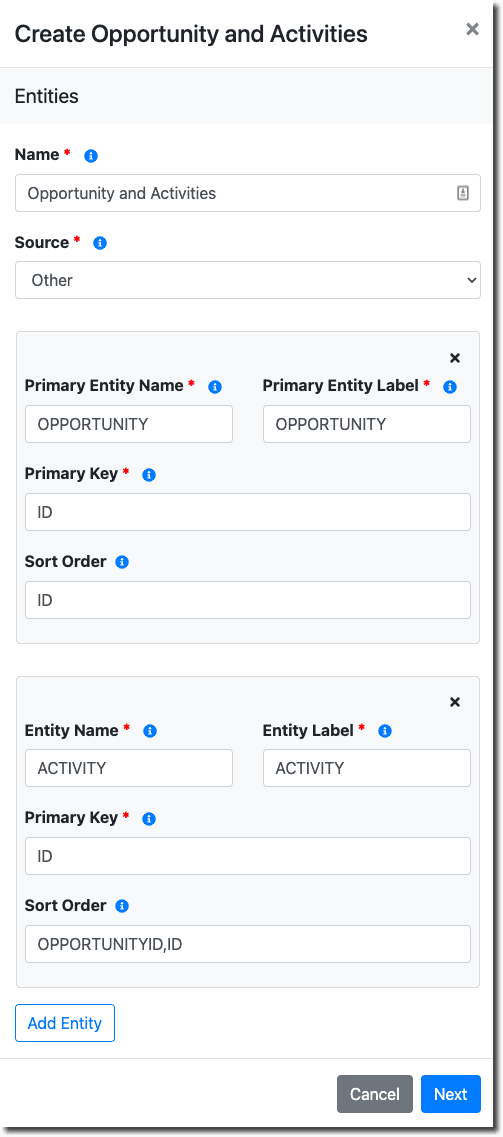
Give the Schema a name - e.g. Opportunity and Activities
-
Select Other as the Source
-
Press Add Primary Entity button
-
Add the Primary Entity Name - eg OPPORTUNITY and specify a Primary Entity Label
-
Specify the column name that is unique for each row as the Primary Key
-
Specify the Sort Order the same as the Primary Key
-
Press the Add Entity button
-
Add the Secondary Entity Name - eg ACTIVITY and specify a Primary Entity Label
-
Specify the column name that is unique for each row as the Primary Key
-
Specify the Sort Order as the Foreign Key to Opportunity followed by its Primary Key
-
Press the Next button
-
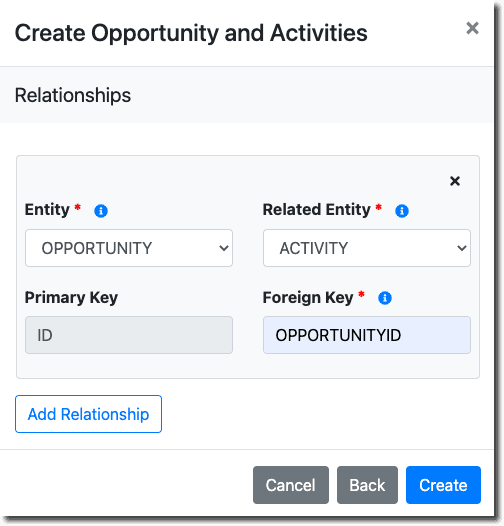
Press the Add Relationship button
-
Select OPPORTUNITY as the Entity
-
Select ACTIVITY as the Related Entity
-
Specify the column on the ACTIVITY Entity that is the Foreign Key to OPPORTUNITY - eg OPPORTUNITYID
-
Press the Create button
-
Drill on the Schema and the overview should look like this
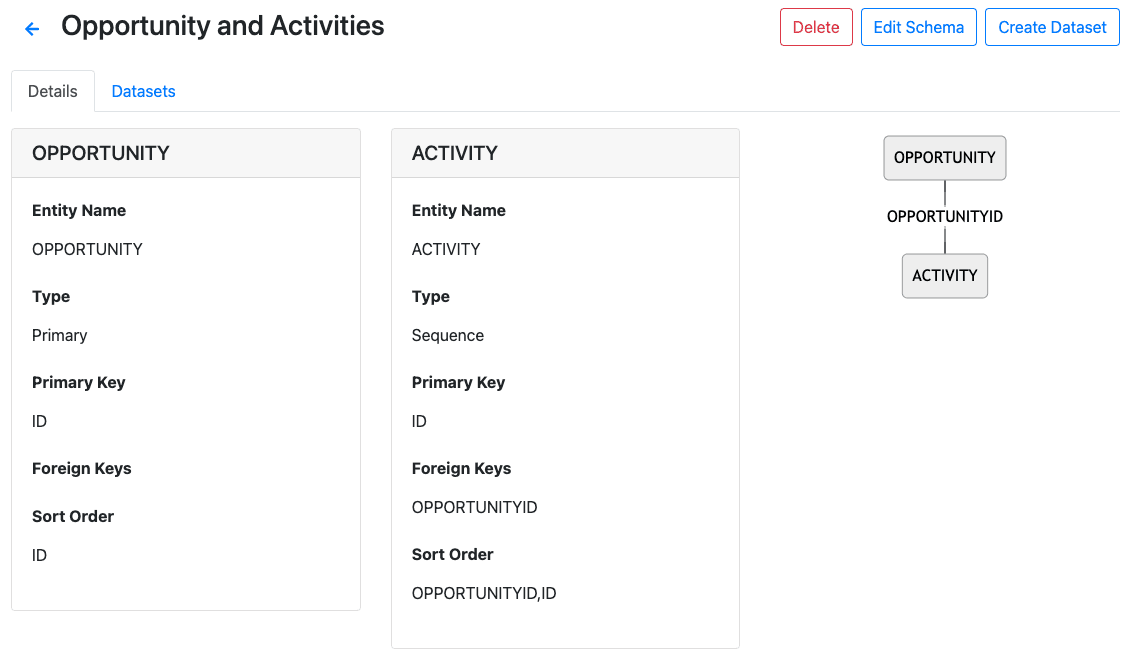
Tip: You can add multiple child Entities related to the Primary Entitiy