
Building a Base Behaviour 'Information' Section
Last updated:
After selecting 'New Base Behaviour' complete the sections within the Base Behaviour Page.
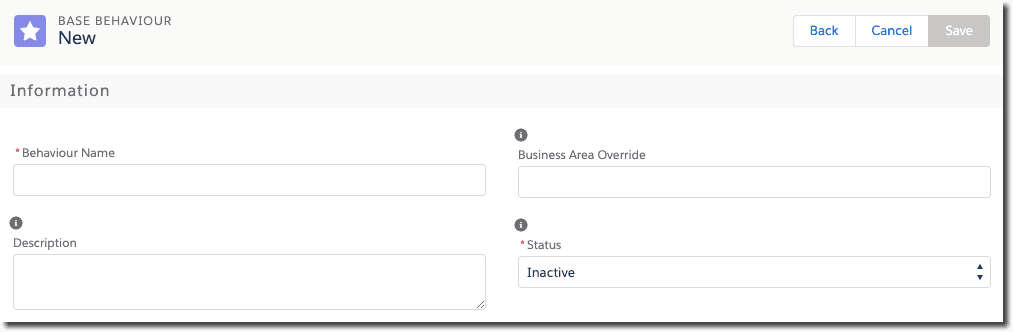
- **Behaviour Name **- This will be the name of the Base Behaviour - it is recommended that this should be no more than 5 words
- **Description **- This text will be displayed in salesforce to instruct the Users on what they have to do to complete the behaviour successfully
- **Business Area Override **- By default the Object name will be displayed, specifying an override name will allow you to categorise the Base Behaviours for your own reporting
- **Status **- Pick one of the following values:
- **Inactive **- the Base Behaviour is not active and will not create any observations - used when first defining the behaviour
- **Testing **- the Bae Behaviour is active and will create observations but will tag them as Testing so they can be easily deleted later - used to test the behaviour
- **Active **-the Base Behaviour is active and will create observations - used when you want the behaviour to be live