Building Colour Palettes
Last updated:
Matching up colours: The colour wheel

**Primary: **Red, Yellow, Blue
**Secondary: **Purple, Orange, Green
**Tertiary: **Blue Purple, Blue Green, Yellow Green, Yellow Orange, Red Orange, Red Purple
Knowing your colours will help you create a good colour palette. In your Word/PowerPoint document you can access the colour wheel via the drop down arrow on the 'Colour Bucket' icon.

There are different colour combinations you can make using the different methods explained in this manual. This manual will discuss the analogue, monochromatic, triadic and complementary methods.
Analogous: The trick is to always choose a main colour on the wheel and two colours adjacent to it in equal distance. This will create a harmonious look.
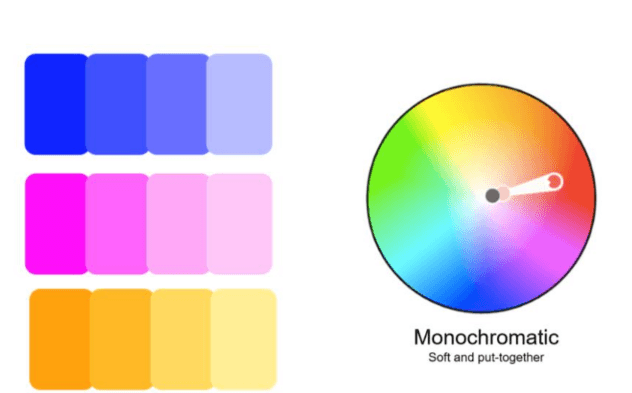
Monochromatic: To create a monochromatic palette pick a colour shade and work your way down the wheel in a straight line.
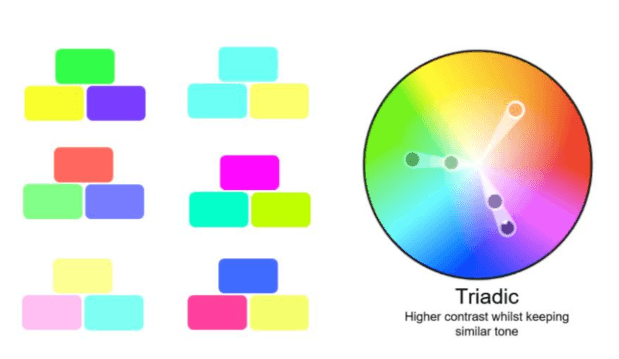
Triadic Palette: This allows you to create a palette with colours that form a triangular shape on the wheel.
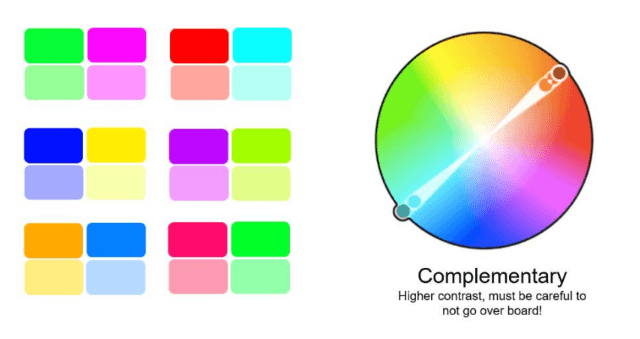
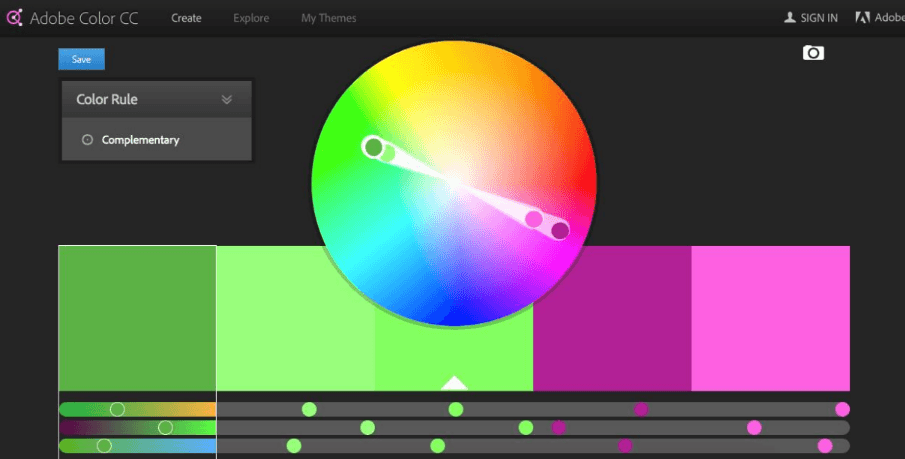
Complementary: Picking colours opposite to each other from the wheel. This will create a higher contrast of colours.
Tools to help you create a colour palette
Adobe Color CC:
The easiest tool to use when selecting combinations from the Colour Wheel is Adobe Color CC. It sets up the above methods and allows you to move around the wheel with ease and without losing your way. Free to use online.
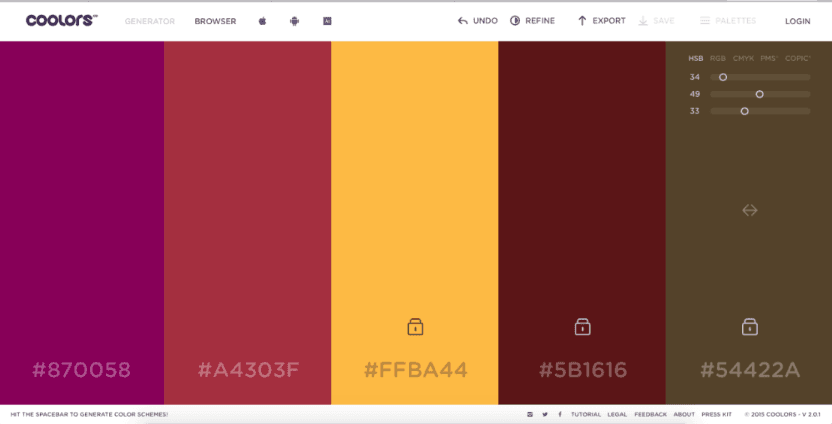
Coolors.co
This tool allows us to better visualize our colour palette while also giving us the ability to refine the saturation, brightness, hue, etc. You can also browse and use already created palettes.
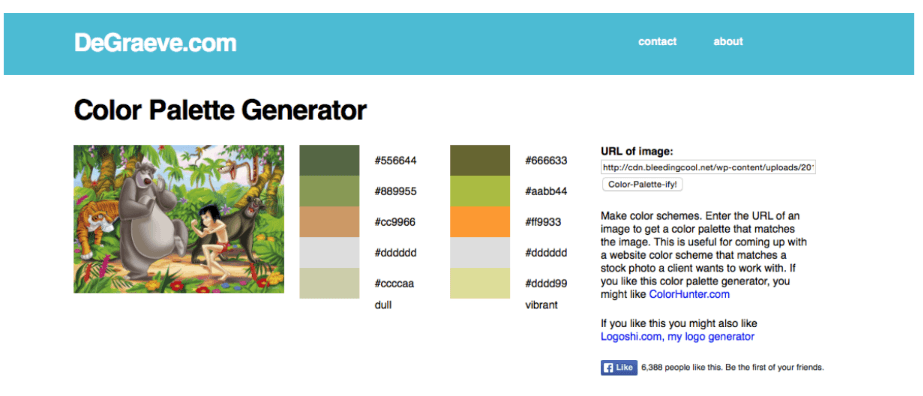
DeGraeve.com:
This tool enables you to create colour palettes from an image. It looks up the colours in an image and automatically creates a choice of two colour palettes to match your chosen image.