Create a Coaching Plan
Last updated:
1. In Coaching Plan Tab select 'New'.

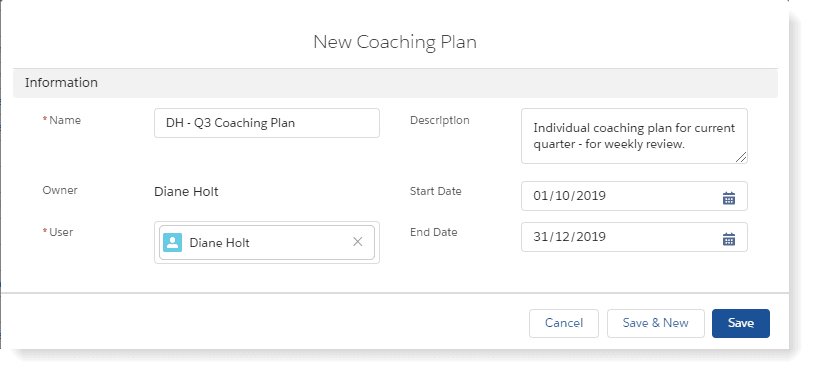
2. Complete plan: Name, description, user and timeline - Save.
3**.** In 'Memberships' Tab select 'Behaviour Objectives' for the relevant collective.

**4. **Filter to relevant period or category (Lagging KPI).

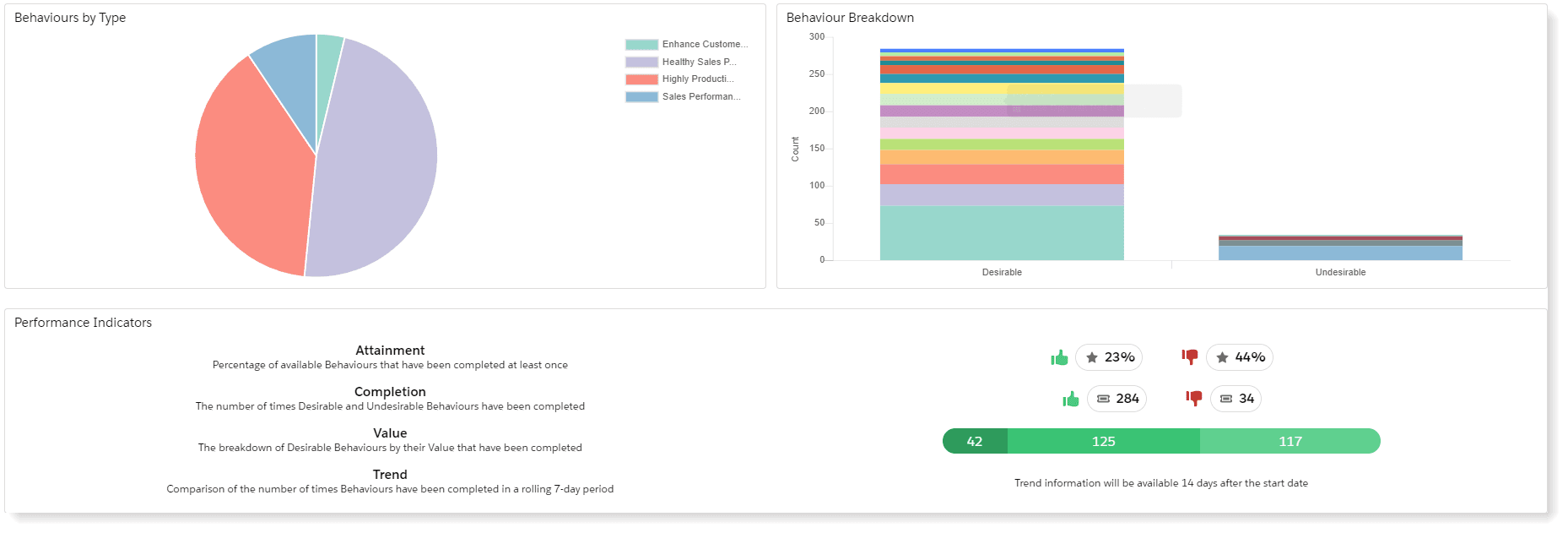
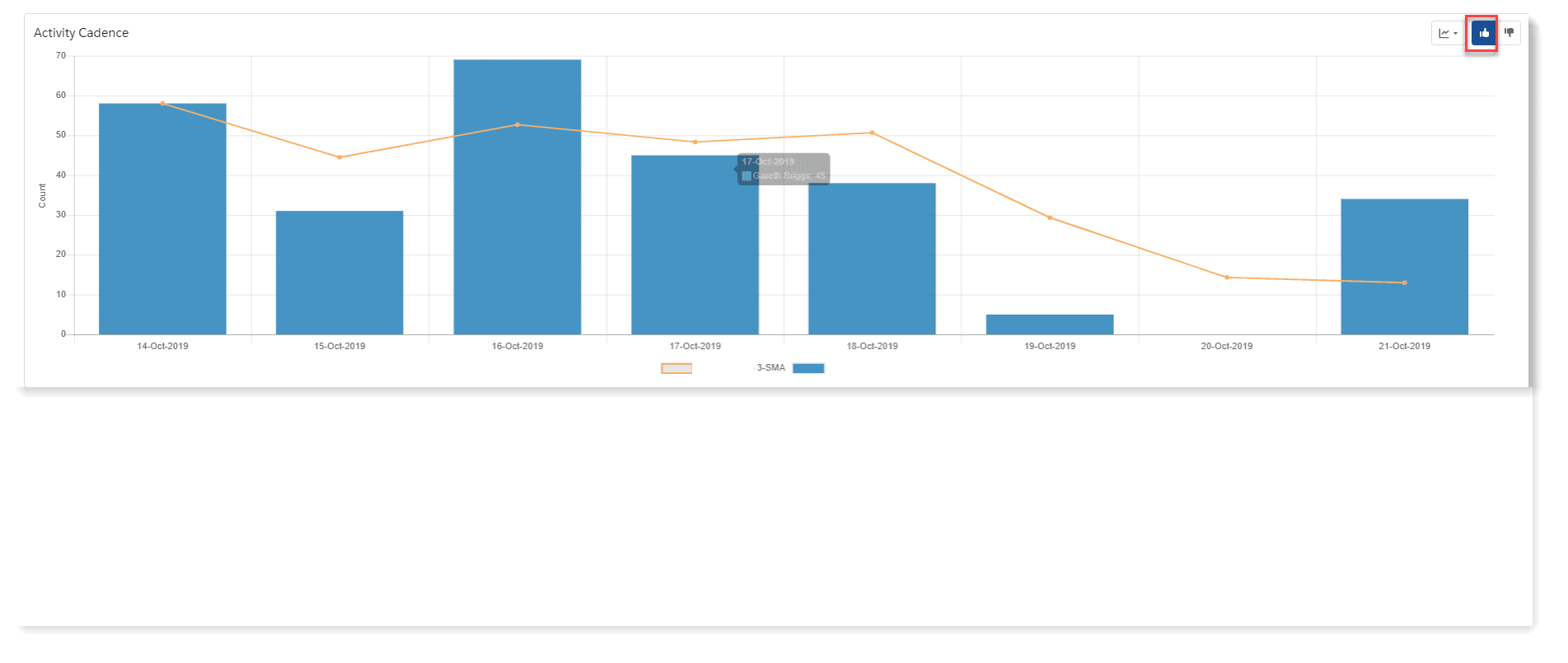
5. View completed behaviours by category (Lagging KPI), desirable and undesirable status and cadence of when they were completed.
5. Select behaviours to add to plan.
View and add behaviours that have been completed to date (by #completed).

View and add behaviours that have yet to be completed.

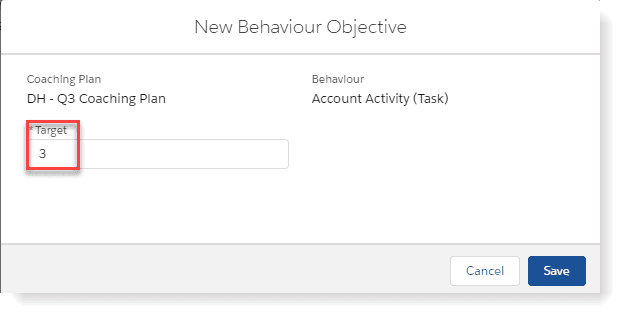
6**.** Update #times user is expected to complete behaviour during plan timeline - Save.
7. View progress of Coaching Plan by behaviour objectives in 'Objectives' Tab - Manager View


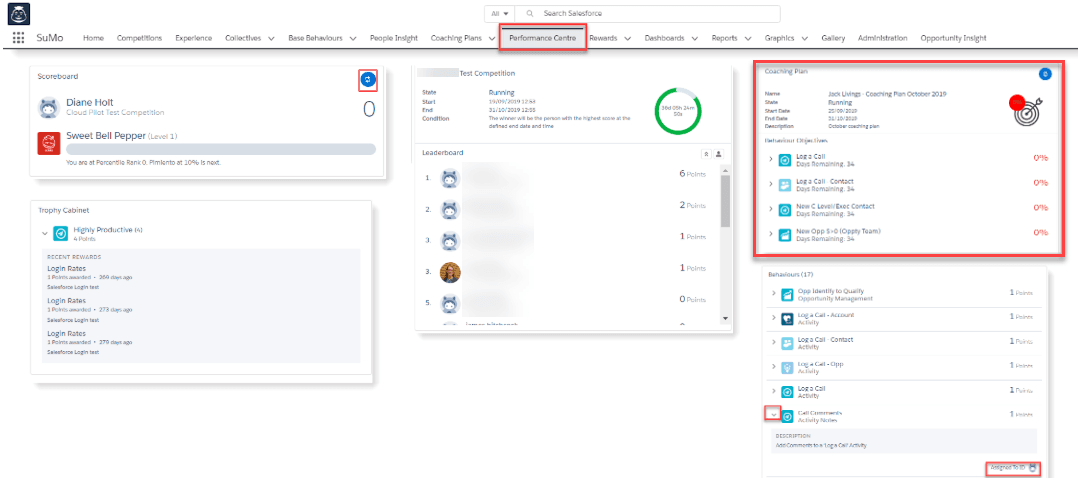
** 8. **View progress of Coaching Plan by behaviour objectives in 'Performance Centre' - User View