
Editing Behaviours in a Collective
Last updated:
To Edit the properties of a Behaviour.
-
Open the relevant collective (Competition or Experience Group) by selecting the 'Edit' option.
-
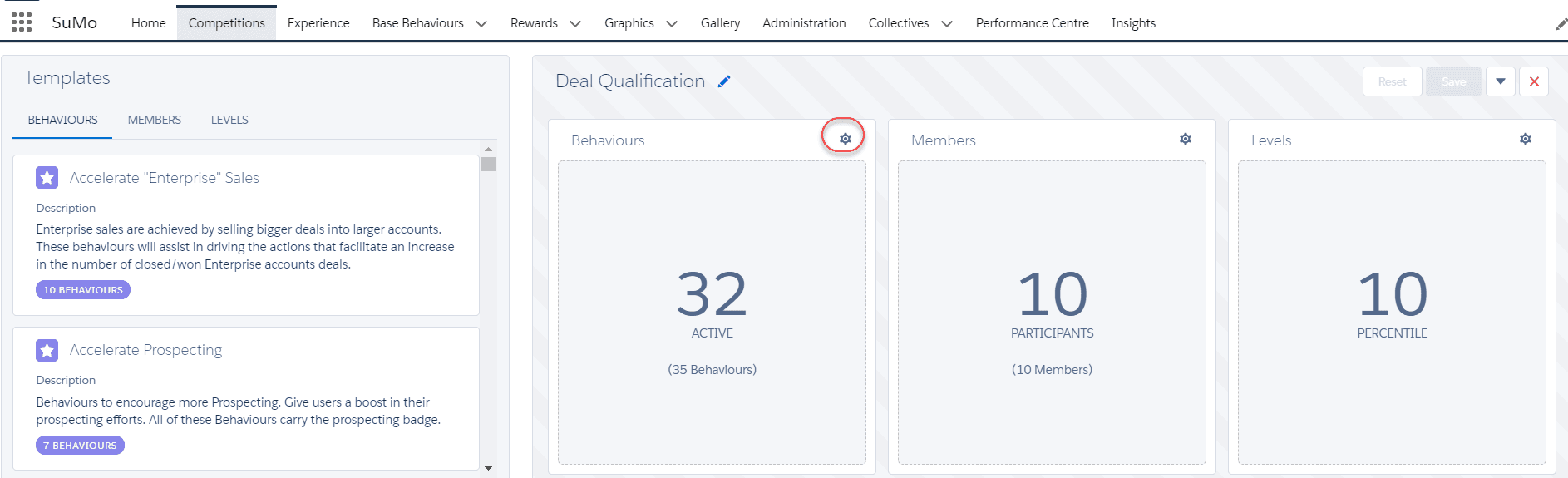
Select the setting Cog in the Behaviours section to view the Behaviours within the collective.
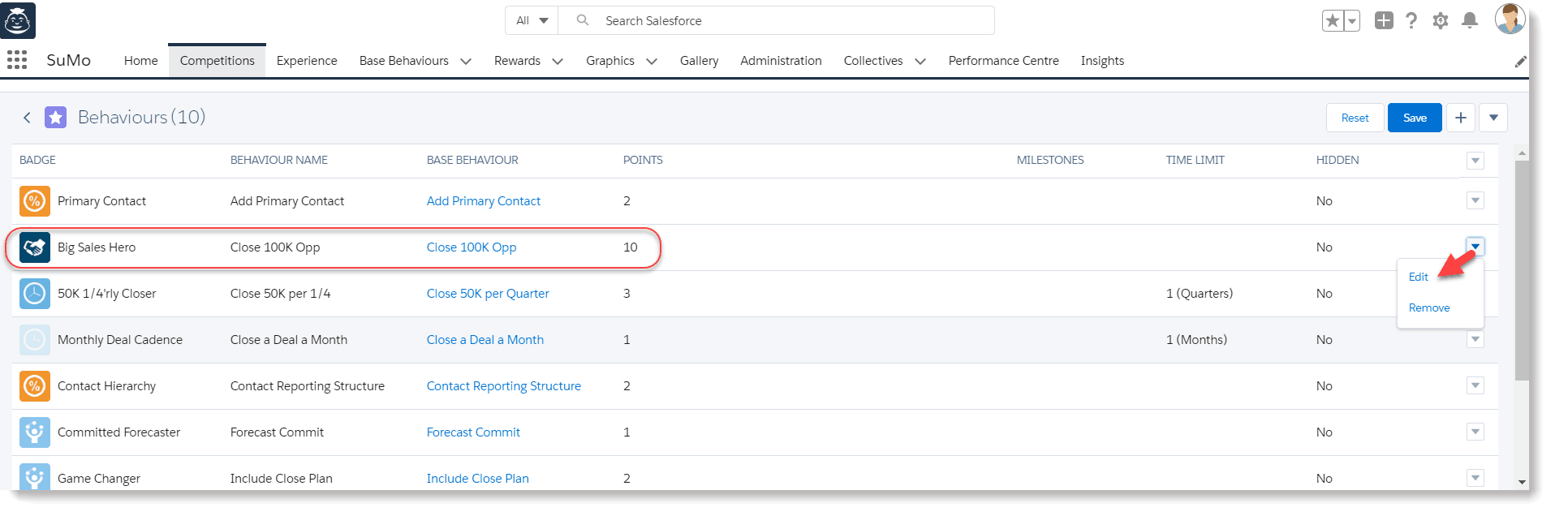
- Select 'Edit' next to the Behaviour you wish to change.
- This allows each behaviour to be made relevant to the current use case. In edit mode you can configure the following on each behaviour:
- Points (or varying points)
- Reward Message
- Behaviour Name and Descriptions
Info: You can add links into any part of the Description field text using the format below. The URL part must start with 'https://' and the display name part must only contain upper or lowercase characters (A-Z), numbers (0-9) and spaces between words (but not before or after the pipe '|' symbol).
{https://www.sample-url.com|Display Name}
- Badge Name
- Max Rewards (Limits the number of Rewards per player for this particular Behaviour)
- Multiple Rewards - This determines whether the Player will be able to earn the reward more than once for each Source Record.
- Visibility (Hidden/Unhidden)
- Promoted (Priority to display first in record page (nudges)
- Milestones / Stretch Target Behaviours for Aggregate Behaviours.
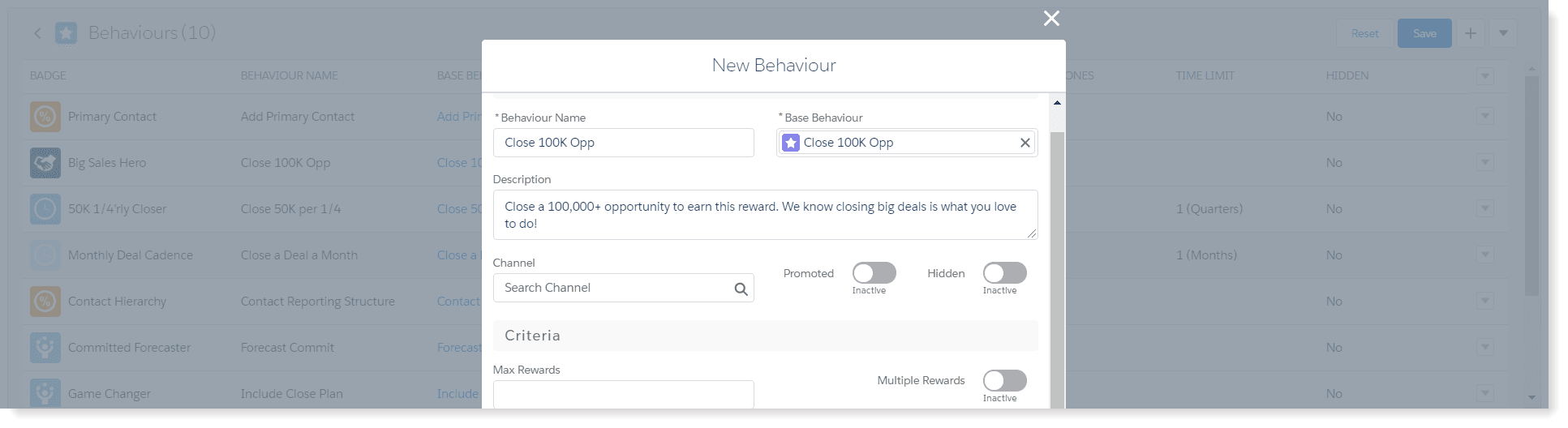
- Make the required changes and select Save.